Ecidni · “index”, reversed · a local-first editor
Everything begins on Sa.
One file holds the essay and the raga. Ecidni is a fast, native Markdown editor — Tauri and Rust, not Electron — where plain text and Indian classical notation live side by side, entirely on your machine.
Scroll to ascend the scale ↓ eight chapters, S to Ṡ. Behind you, a hummed wave settles into notation.
R · Re — the editor
It reads the way you write.
The name is index, reversed — because indexing is the whole idea.
Ecidni parses your document’s structure as you type: prose linted live, dead links
caught before you publish, [[wiki-links]] completed across the vault,
front matter type-checked like code. All of it offline. None of it waiting on a server.
G · Ga — byte fidelity
Your bytes come back untouched.
Round-tripping is the contract: 28 of 28 corpus files pass through Ecidni byte-identical. Change one word and the diff is one line — reviews stay readable, history stays honest, and your files are never rewritten behind your back.
$ git diff varnam.md
@@ -12 +12 @@
-the melody returns to Sa, and rests.
+the melody resolves to Sa, and rests.
M · Ma — the Carnatic vertical
A code fence that sings.
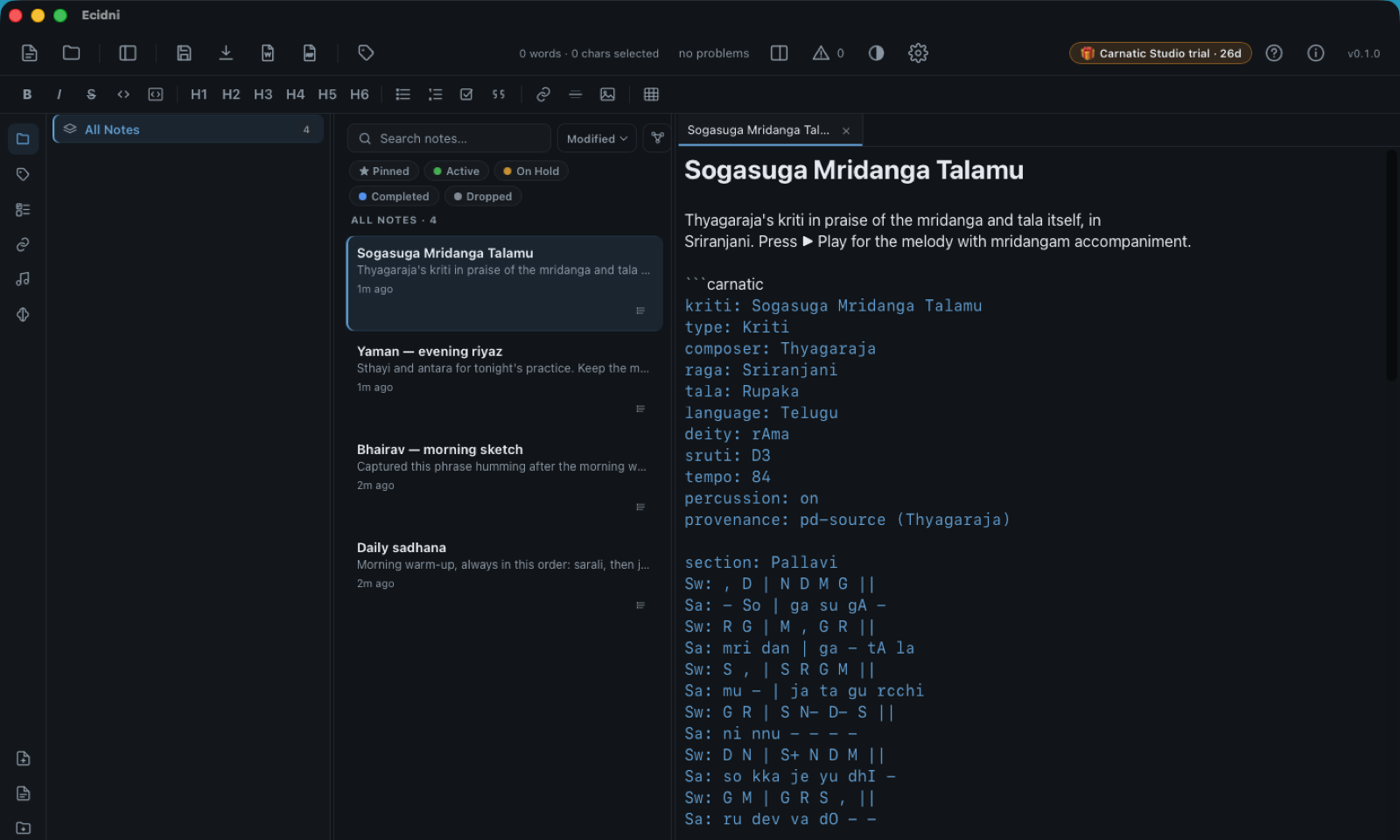
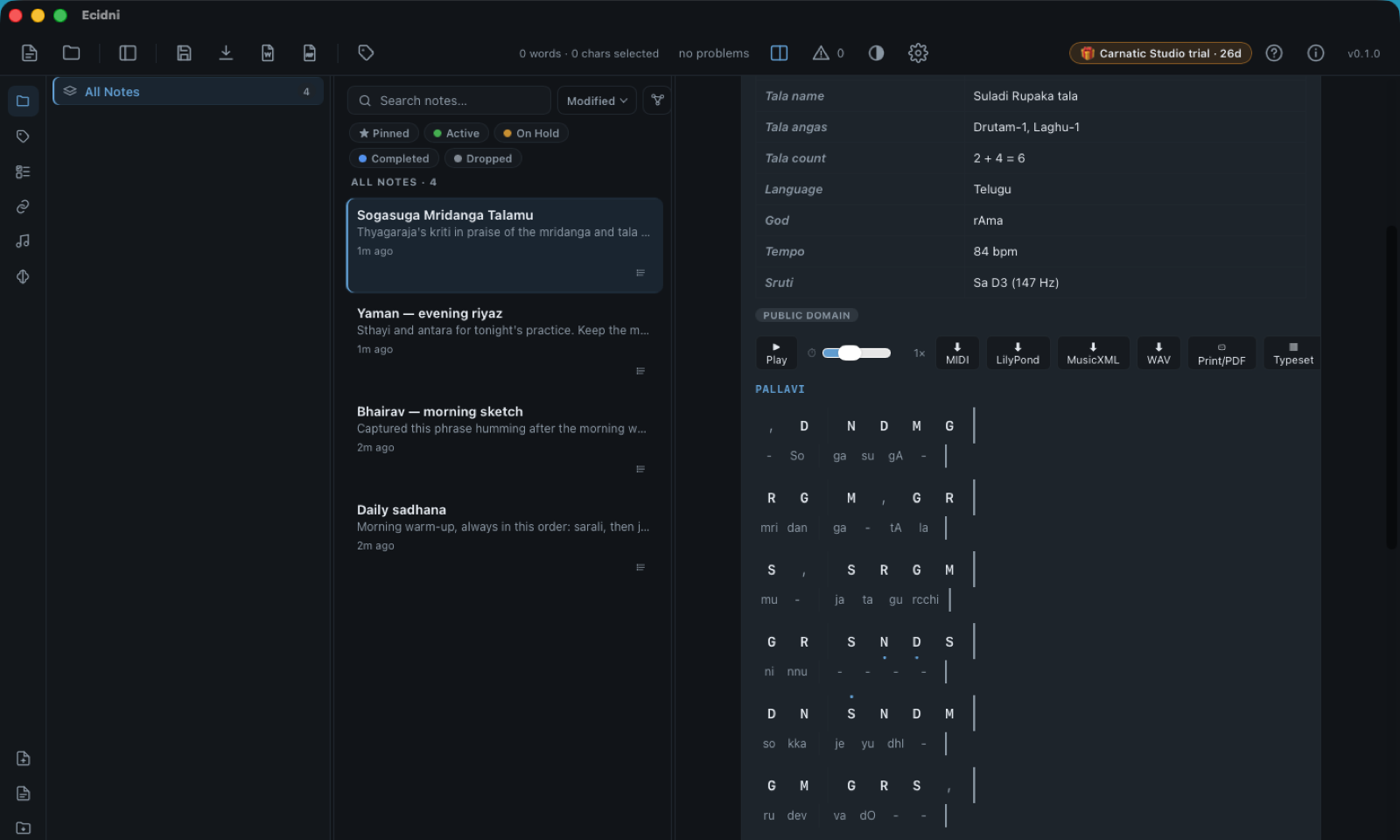
Write Carnatic notation as plain text inside a ```carnatic fence.
Ecidni renders it onto the tala grid — Pallavi, Anupallavi and Charanam as sections,
Adi tala counted at 8 aksharas.
```carnatic — source, then the rendered gridSw: S R G M | P D | N S+ ||Adi tala — 8 aksharas · laghu + drutam + drutam (4 + 2 + 2) · S+ rises to the tara sthayi
ஸ ரி க ம ப த நி — Sa Ri Ga Ma Pa Da Ni
P · Pa — the fifth, the drone’s partner
Press ▶ Play. Nothing leaves the room.
Every notation block carries a ▶ Play button that performs it with physically-modelled tanpura, mridangam and tabla — synthesis, not sampled recordings, computed locally.
It listens, too. Hum a phrase into your phone and Ecidni sketches a swara skeleton from the audio — capture the idea where it strikes, refine it at the desk. Point it at a folder and it transcribes the whole album; ask it and it names the raga of a recording.
And Pa holds the drone — so the practice room lives here too:
- Shruti boxthe tambura drone on any sruti — synthesized jvari, a bundled recording, or your own
- Voice tunerhold a swara against the drone and see exactly where your voice sits
- Sadhakam ear-trainera mystery swara over the drone; it drills your weak notes harder
- Varisai practicesarali, janta, alankara — generated by scale degree in any of 90 raga scales
- Kanakku workbenchtala arithmetic for mora and korvai — phrases that must land on sam, checked
- Konnakkol trainercall-and-response solkattu, Tisra through Sankeerna, with click playback
- Learn-along A–B playerloop a phrase, slow it down, follow the highlight until it’s yours
- Compare renditionstwo takes of the same line, side by side
Eight soft tones, just-intonation from Sa = C. This page uses plain oscillators — a sketch. The app’s instruments are physical models.
D · Dha — the Hindustani vertical
Bhatkhande, kept faithfully.
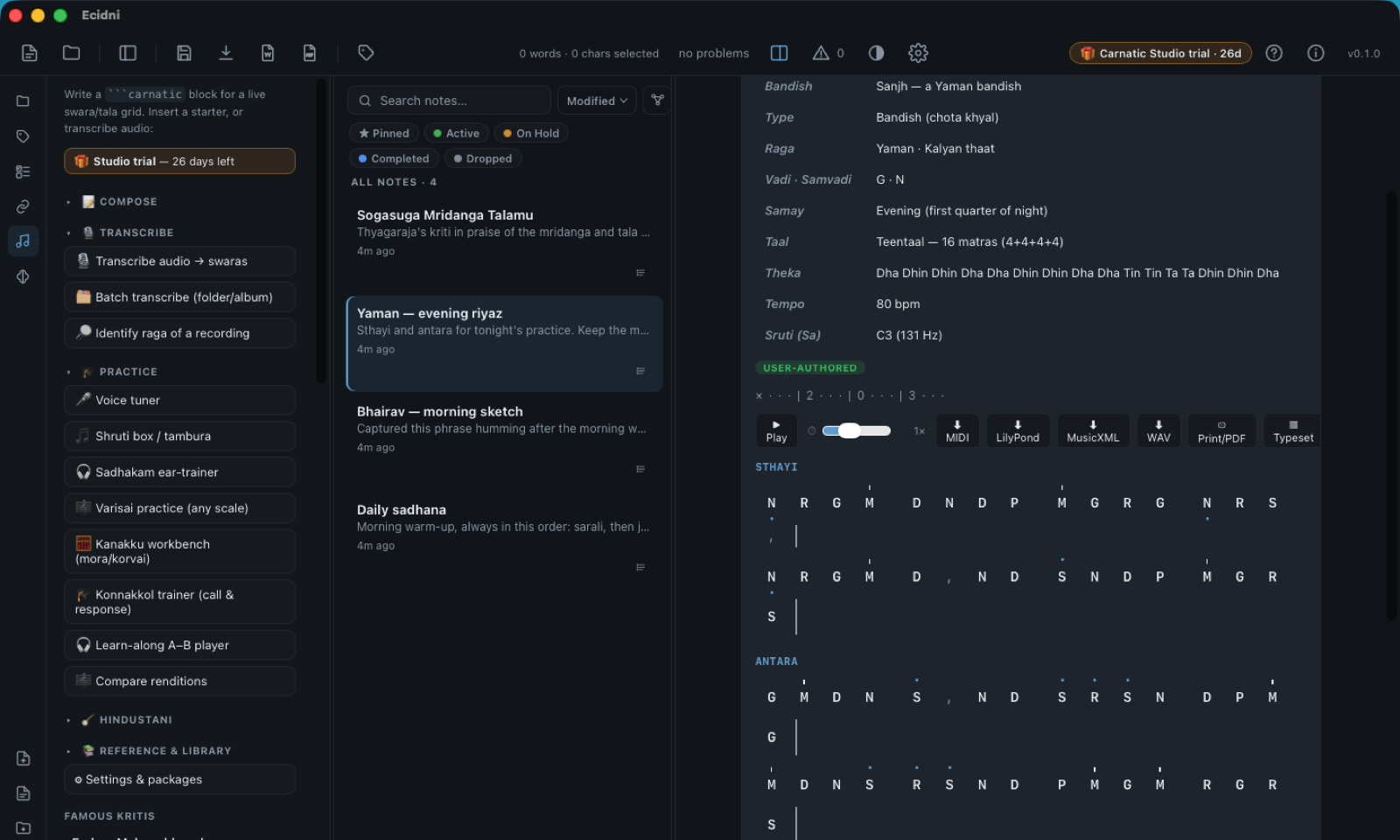
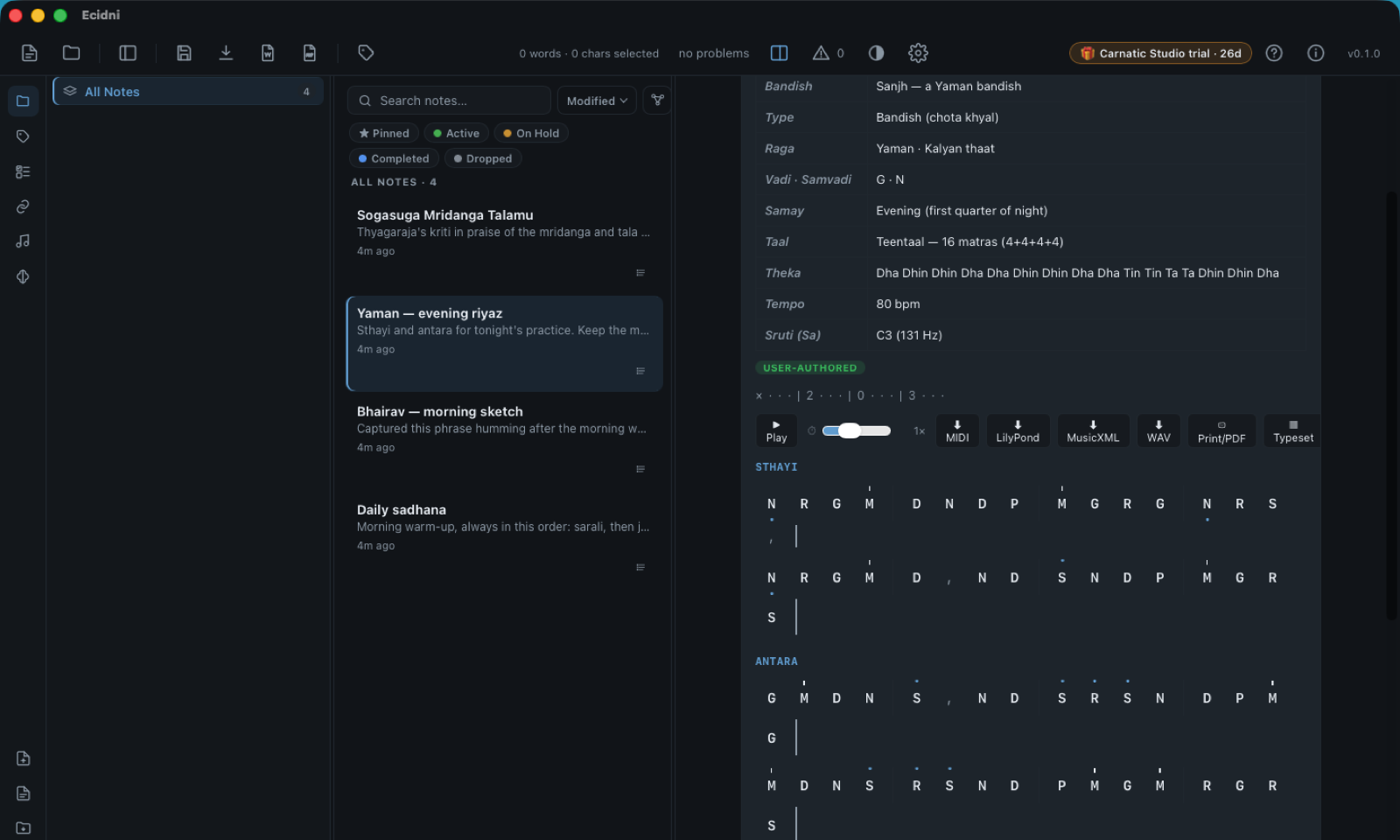
The ```hindustani fence follows Bhatkhande convention:
komal swaras lowercase and underlined, tivra Ma marked, the taal strip counted
× 2 0 3, and theka playback for the cycle.
```hindustani — Raga Yaman · TeentaalSw: N- R G M | D N D P | M G R G | N- R S , ||komal → lowercase, underlined r · tivra Ma → M with the raised mark · N → mandra, dotted below
सा रे ग म प ध नि — Sa Re Ga Ma Pa Dha Ni
N · Ni — the note that leads home
100% local. Not opt-out — absent.
No cloud. No accounts. No telemetry. There is nothing to switch off, because nothing was ever phoning home. Your practice notes, your compositions, your students’ exercises: files in a folder you own, on hardware you own, readable by any editor for the next fifty years.
Ni leans toward Sa; your data resolves to disk.
Ṡ · the octave — same Sa, arrived
Take the whole scale with you.
The editor is free software. The music verticals are one-time purchases — no subscription, no account, nothing that expires.
- Editor Apache-2.0Free
- Carnatic vertical$2.98
- Hindustani vertical$2.98
- Both verticals$4.98
One-time. Yours for good.